
Commercial Interior Design Software vs. Residential Tools: A Strategic Guide for Business Owners
Commercial Interior Design Software vs. Residential Tools: A Strategic Guide for Business Owners
The global interior design software market is undergoing a seismic shift, projected to reach over $9 billion by 2030. As the lines between work, life, and play blur—giving rise to the "resimercial" design trend—business owners and design firms face a critical technological dilemma. The tools that create a cozy, intimate living room are rarely sufficient for designing a 50,000-square-foot corporate headquarters or a high-traffic healthcare facility. While the aesthetic principles of balance, color, and flow remain constant, the technological backbone required to execute these visions differs radically.
For business owners, choosing the wrong software stack is not merely an inconvenience; it is a financial liability. Using residential-grade tools for commercial projects can lead to compliance failures, data crashes, and collaboration bottlenecks that cost thousands in billable hours. Conversely, investing in high-end commercial interior design software for smaller, boutique residential projects can result in unnecessary overhead and a steep learning curve that paralyzes creativity. According to recent industry surveys, 42% of design firms report that software inefficiency is their primary productivity blocker, highlighting the urgent need for strategic tool selection.
This article dissects the fundamental differences between commercial and residential design software. We will explore the technical necessities of Building Information Modeling (BIM), the divergent approaches to visualization, and the rising role of AI in bridging these two worlds. By understanding the specific capabilities of commercial interior design software versus its residential counterparts, you can build a technology stack that optimizes workflows, ensures regulatory compliance, and ultimately drives higher profitability for your firm.
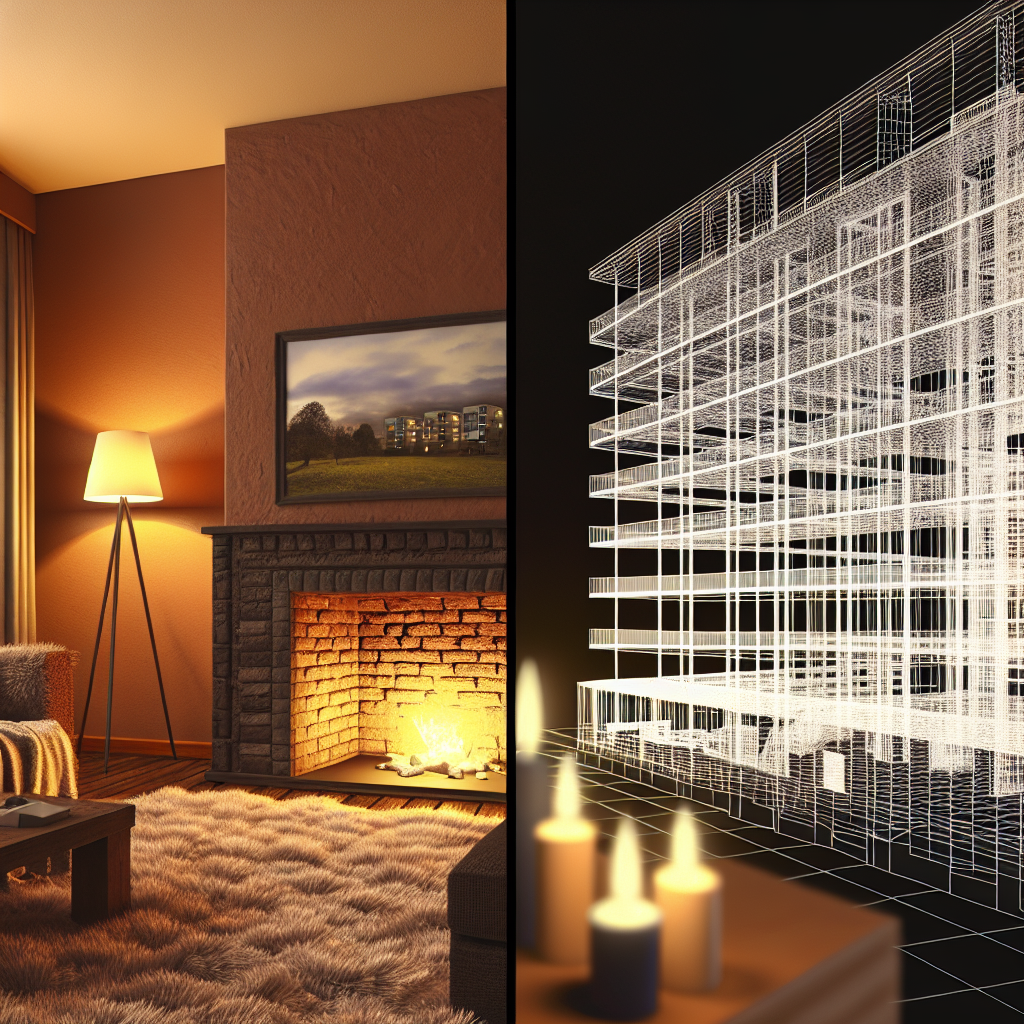
Defining the Scope: Scale, Safety, and Complexity
The primary distinction between residential and commercial design lies not in the furniture selected, but in the scope of the environment and the rigorous demands of the infrastructure. Software designed for commercial applications must handle exponentially more data points than residential tools. When you are designing a single-family home, you are managing hundreds of assets; in a commercial airport or hospital, you are managing hundreds of thousands.
Single Family vs. Public Spaces
Residential design software focuses on the intimacy of the user experience within a controlled, private environment. The software architecture is often optimized for smaller file sizes and high-fidelity textures that look good up close. In contrast, commercial interior design software must facilitate the design of public spaces that endure heavy foot traffic and serve diverse populations.This difference in scope dictates the software’s core functionality. Commercial tools prioritize "zoning" and massing capabilities, allowing designers to plan circulation paths for hundreds of people simultaneously. For example, a hotel lobby design requires software that can simulate crowd flow and check-in queues, features completely absent in standard home design applications. The software must be robust enough to replicate the same chair 500 times in a conference hall without slowing the viewport frame rate to a crawl—a technical feat known as "instancing" that is critical in commercial workflows.
The Impact of Building Codes and Safety Regulations
Perhaps the most critical differentiator is the integration of regulatory data. Residential codes are strict, but commercial codes are draconian. Commercial projects must adhere to complex fire safety regulations, ADA (Americans with Disabilities Act) compliance, and specific industry standards (like HIPAA for healthcare design).Top-tier commercial interior design software often includes built-in code checking or integrates with plugins that audit the model for violations. Egress Widths: The software calculates if hallways are wide enough for emergency evacuations based on occupancy loads. Material Ratings: Commercial tools track the flammability ratings of specified materials, ensuring that the curtains in a theater meet fire codes. ADA Turning Radii: Advanced commercial tools allow designers to visualize wheelchair turning circles directly on the floor plan to ensure accessibility compliance.
Residential software rarely offers this level of automated auditing, leaving the designer to manually check codes—a risky proposition in a large-scale commercial build where a single non-compliant corridor can delay occupancy permits by months.
Why Scale Matters in Software Performance
Scale is not just about the size of the building; it is about the complexity of the data. A commercial building has complex HVAC systems, electrical grids, and structural elements that the interior designer must work around. Commercial software is built on 64-bit architectures capable of utilizing massive amounts of RAM to load these heavy "linked models" from engineers and architects.If you attempt to load a full mechanical, electrical, and plumbing (MEP) model into a consumer-grade home design tool, the software will likely crash. Commercial tools utilize "worksharing" or "referencing" technologies, allowing the interior design file to reference the architectural shell without weighing down the file size. This capability is essential for performance stability when working on projects exceeding 10,000 square feet.
Residential Design Software: Aesthetics and Client Connection
While commercial tools are the heavy lifters of data and compliance, residential design software excels in emotion, atmosphere, and ease of use. The goal of residential design is to sell a lifestyle to a homeowner, which requires a different set of digital priorities. These tools are often lighter, faster to learn, and focused heavily on the "look and feel" rather than the "nuts and bolts" of the structure.
Focus on Aesthetics and Soft Furnishings
In the residential sector, the texture of a velvet sofa or the way morning light hits a kitchen backsplash can sell a project. Consequently, residential design software engines are optimized for photorealistic lighting and extensive libraries of soft goods.These platforms often come pre-loaded with catalogs from real-world furniture retailers (e.g., West Elm, Crate & Barrel), allowing designers to drag and drop purchasable items directly into the scene. The rendering engines prioritize "global illumination" and "ray tracing" to create warmth and mood. In contrast, standard commercial CAD tools often produce sterile, flat renderings unless exported to a third-party visualization engine. For residential designers, the ability to customize drapery folds, pillow arrangements, and rug textures is paramount, and residential-specific software makes these granular adjustments intuitive.
User-Friendly Interfaces for Client Collaboration
Homeowners are rarely trained in reading technical blueprints. Residential software bridges this gap with user-friendly interfaces that allow for real-time collaboration. Many of these tools are web-based or tablet-compatible, enabling a designer to sit on a client's sofa and modify the design on the fly.This "gamification" of the design process is a powerful sales tool. Features like "walkthrough modes" are simplified so that a client can navigate their future home using standard gaming controls. The interface hides the complexity of dimensions and layers, presenting only the visual outcome. This transparency builds trust and speeds up decision-making in the residential market, where the client is emotionally invested in every detail.
Lower Learning Curves for Quick Visualization
Time is money, and in the residential market, project budgets often do not support hundreds of hours of billable time for 3D modeling. Residential software is designed for speed and accessibility. A proficient user can often model a living room and generate a high-quality render in a few hours.Comparing this to commercial interior design software like Revit or ArchiCAD, where setting up the project environment alone can take days, the advantage is clear. For business owners running a residential firm, the lower learning curve means they can hire junior designers who can become productive within weeks, rather than requiring the 6-12 months of training often needed for complex commercial BIM platforms.
| Feature | Residential Software | Commercial Software |
|---|---|---|
| Primary Focus | Aesthetics & Mood | Data & Compliance |
| Learning Curve | Low to Medium (Weeks) | High (Months/Years) |
| Asset Library | Retail Furniture & Decor | Generic Office & Structural |
| Collaboration | Client-Focused (Visual) | Team-Focused (Technical) |
| Data Handling | Single Room/Home | Multi-Story Complex |
| Cost | Subscription (Low/Mid) | License/Sub (High) |
To operate successfully in the commercial sector, adopting Building Information Modeling (BIM) is not optional—it is the industry standard. Commercial interior design software is almost synonymous with BIM, a process that involves generating and managing digital representations of physical and functional characteristics of places.
BIM (Building Information Modeling) Integration Necessity
BIM transforms a 3D model from a pretty picture into a database. In a BIM environment, a wall is not just two parallel lines; it is an intelligent object containing data about its fire rating, acoustic properties, material cost, and thermal resistance.For commercial projects, this data is crucial. When a designer places a door in a BIM software like Revit, the door automatically cuts a hole in the wall, updates the door schedule, and adjusts the material takeoff list. If the wall moves, the door moves with it, and the quantities update instantly. This parametric relationship prevents errors that are common in manual CAD drafting. In large commercial projects where door schedules can run into the thousands, this automation saves weeks of manual data entry and cross-checking.
Collaboration Tools for Large Teams
Commercial projects are never solo endeavors. They involve architects, structural engineers, MEP (mechanical, electrical, plumbing) consultants, lighting designers, and general contractors. Commercial interior design software is built to facilitate this massive multidisciplinary collaboration.These platforms utilize "central models" hosted on cloud servers (like BIM 360). This allows multiple team members to work on the same file simultaneously. An interior designer can be laying out furniture on the 4th floor while the architect is adjusting the curtain wall on the exterior, and the mechanical engineer is routing ductwork through the ceiling plenum. The software manages "ownership" of elements to prevent conflicts—if the interior designer owns the furniture workset, the architect cannot accidentally delete a desk. This level of concurrency is non-existent in residential tools.
Compliance Checking for ADA and Fire Safety Codes
As mentioned earlier, safety is paramount. Commercial software allows for "clash detection." This is a process where the software analyzes the architectural, structural, and mechanical models to find physical conflicts before construction begins.For example, the software can detect if a planned HVAC duct runs directly through a structural beam or if a suspended ceiling height conflicts with the required clearance for fire sprinklers. Identifying these clashes digitally costs zero dollars; fixing them on the construction site costs thousands. Furthermore, advanced commercial tools can simulate crowd evacuations to ensure that the interior layout meets fire safety egress requirements, providing a layer of liability protection for the design firm.
💡 Additional resource: Search YouTube for "BIM for interior design explained" for more tutorials.
Visualization and Rendering: Precision vs. Atmosphere
The output requirements for commercial and residential projects differ significantly, driving the need for different rendering technologies. While both sectors value high-quality visuals, the purpose of the visualization dictates the software choice.
Rendering Times: High-Poly Commercial Scenes vs. Residential Rooms
Rendering a single bedroom with high-fidelity textures is computationally demanding but manageable. Rendering a 20-story office tower with open-plan workspaces, hundreds of workstations, and complex lighting arrays is a different beast entirely.Commercial interior design software often relies on proxy workflows or real-time rendering engines (like Enscape or Lumion) that plug directly into the BIM model. These tools allow designers to navigate the massive commercial model in real-time without waiting hours for a single image to process. They use "level of detail" (LOD) scaling, where objects far away are rendered with less complexity to maintain performance. Residential rendering engines, focusing on smaller spaces, often use unbiased rendering methods that calculate light more accurately but take significantly longer—a luxury of time that commercial timelines rarely permit.
The Trade-Off Between Precision and Speed
In commercial design, precision is non-negotiable. A rendering is often part of a contract document. If the rendering shows a specific lighting fixture alignment, the contractor will build it that way. Therefore, commercial visualization tools must be inextricably linked to the technical drawings.If a designer moves a wall in the 2D plan of a commercial software, the 3D rendering updates instantly to reflect that change. In many residential workflows, the 3D model is a separate entity from the construction documents. A designer might "cheat" a wall in the 3D model to make the photo look better, knowing it won't affect the blueprints. In commercial software, this disconnect is dangerous. The visualization must be an accurate reflection of the constructible reality, prioritizing spatial accuracy over atmospheric "cheats."
Virtual Staging Capabilities in Both Sectors
Virtual staging has exploded in popularity, but the application differs. Residential: Used to help buyers imagine living in an empty home. Focus is on warmth, scale, and emotional appeal. Commercial: Used to market "spec suites" or empty office floors to prospective tenants. The focus is on showing density, potential layout configurations (e.g., "This space fits 50 desks"), and branding opportunities.Commercial software increasingly integrates VR (Virtual Reality) to allow stakeholders to walk through the space. For a CEO approving a multi-million dollar headquarters, putting on a VR headset to experience the atrium volume is a powerful convincing tool. This requires software capable of high frame rates and optimized geometry, distinct from the static, high-gloss renders used in residential real estate listings.

The Economics of Design Tools: Cost, Licensing, and ROI
For a business owner, the software selection process ultimately comes down to the bottom line. The pricing models and hidden costs associated with commercial interior design software are vastly different from residential tools.
Subscription Models vs. Perpetual Licenses
The industry has largely moved away from perpetual licenses (pay once, own forever) toward SaaS (Software as a Service) subscription models. Residential Tools: Often offer tiered pricing, ranging from free basic versions to professional tiers costing $50-$100 per month. Some even operate on a "pay-per-render" model, which is excellent for freelancers with fluctuating workloads. Commercial Tools: High-end BIM software is expensive. A single seat of Autodesk Revit or ArchiCAD can cost upwards of $2,500 to $3,000 per year. When you multiply this by a team of 10 or 20 designers, the overhead is significant.However, the subscription model for commercial software often includes cloud credits for rendering and access to support ecosystems that are vital for keeping a large firm operational.
The Hidden Costs of Training and Hardware
The sticker price of the software is just the tip of the iceberg. Hardware: Commercial software is resource-hungry. It requires workstations with professional-grade graphics cards (NVIDIA RTX series), massive amounts of RAM (32GB to 64GB), and fast processors. A typical commercial design workstation costs between $2,500 and $4,000. Residential web-based tools can often run on a standard laptop or even an iPad. Training: The "learning cliff" for commercial BIM software is steep. It takes months to become proficient and years to become an expert. Firms must budget for training courses, downtime during the learning phase, and potentially hiring a dedicated BIM Manager to maintain standards.ROI Considerations for Freelancers vs. Firms
Calculating ROI depends on your business model. For Freelancers/Small Residential Firms: The high cost of commercial software is rarely justifiable. The efficiency gains of BIM are lost on small projects, and the subscription fees eat into profit margins. Agile, lower-cost tools provide a better ROI. For Commercial Firms: The ROI of expensive software is realized through error reduction and coordination. Avoiding a single construction conflict in the field can save tens of thousands of dollars, instantly paying for the software license. Additionally, many commercial clients mandate BIM deliverables. Without the software, you cannot even bid on the project. In this context, the software is not a cost; it is the price of entry into the market.| Cost Category | Residential Focus | Commercial Focus |
|---|---|---|
| Software License | $30 - $100 / month | $200 - $300+ / month |
| Hardware Setup | $1,000 - $1,500 (Laptop) | $2,500 - $5,000 (Workstation) |
| Training Time | 2-4 Weeks | 6-12 Months |
| IT Support | Minimal | Essential (BIM Management) |
| ROI Driver | Speed of Sales/Visuals | Error Reduction & Coordination |
Artificial Intelligence is disrupting the binary choice between "simple residential tools" and "complex commercial tools." AI offers a third path: rapid conceptualization that serves both sectors by accelerating the early design phases.
Using AI for Rapid Conceptualization Regardless of Project Type
Before a designer opens a heavy BIM file or a detailed residential planner, they need a concept. AI-driven design tools are revolutionizing this "ideation" phase. Tools that utilize Generative Adversarial Networks (GANs) can take a rough sketch or a text prompt and generate photorealistic concepts in seconds.This is invaluable for both sectors.
Commercial: A designer can generate 20 variations of a hotel lobby theme in an hour to present mood boards to a client, before committing to the labor-intensive BIM modeling. Residential: A designer can instantly show a homeowner how their living room would look in "Modern Farmhouse" vs. "Scandi-Industrial" styles without modeling a single piece of furniture.How StagePro's 100+ Styles Apply to Both Lobbies and Living Rooms
Emerging platforms like StagePro are exemplifying this versatility. By offering a vast library of over 100 distinct design styles, such tools allow designers to pivot between commercial and residential aesthetics instantly.For a commercial project, a designer might select "Corporate Minimalist" or "Biophilic Office" styles to visualize a reception area. For a residential project, they might toggle to "Bohemian Chic" or "Transitional." The underlying AI technology doesn't care about the scale; it cares about the
style. This allows firms that handle mixed-use projects (e.g., apartment complexes with ground-floor retail) to use a single tool for the conceptual visualization of the entire building, ensuring a cohesive design language from the lobby to the penthouse.Accelerating the Workflow: From Floor Plan to 3D Visualization Instantly
The most significant efficiency gain comes from AI's ability to interpret 2D data. New AI tools can read a 2D floor plan—whether it's a PDF of an office floor or a sketch of a kitchen—and extrude it into a 3D environment automatically.This "auto-modeling" feature bridges the gap between the two software worlds. It provides the speed of residential tools with the structural awareness needed for commercial layouts. While it doesn't replace the need for Revit for construction documents, it drastically shortens the path from "blank page" to "client approval," allowing designers to secure the job faster. Once the concept is sold using agile AI tools, the heavy lifting can be transferred to the technical software for execution.
💡 Additional resource: Search YouTube for "AI interior design workflow" for more tutorials.Strategic Selection: A Checklist for Business Owners
Choosing the right software stack is a strategic business decision. It requires an honest assessment of your firm's current workload, future goals, and team capabilities. Use this checklist to guide your investment.
Checklist for Assessing Your Project Needs
Before purchasing a license, answer these questions:- What is the average square footage of your projects? (Under 5,000 sq ft suggests residential tools; over 10,000 sq ft demands commercial/BIM).
- Who are your collaborators? (Do you need to exchange files with structural engineers using Revit?)
- What are your deliverables? (Are you providing photorealistic mood boards or stamped construction documents?)
- What is your team's technical proficiency? (Can they handle a steep learning curve, or do you need immediate productivity?)
- What is your budget for hardware upgrades? (Can you afford the workstations required for commercial software?)
When to Use Heavy CAD vs. Agile AI Tools
The smartest firms use a hybrid approach. Use Agile AI Tools (like StagePro) when: You are in the pitching phase, need rapid iterations, are doing virtual staging, or need to communicate a "vibe" to a non-technical client. This keeps costs low during the high-risk phase of winning the work. Use Heavy CAD/BIM (Revit/ArchiCAD) when: You have a signed contract, need to produce permit drawings, are coordinating with consultants, or are quantifying materials for construction. This ensures accuracy and liability protection.Future-Proofing Your Design Toolkit
The future of commercial interior design software is cloud-based and AI-integrated. We are moving toward a "connected data environment" where the conceptual AI model can eventually feed data into the BIM technical model.To future-proof your business, avoid locking yourself into closed ecosystems that do not export standard file formats (like IFC or OBJ). Look for software vendors that are actively integrating AI features and offer open APIs. Invest in training your team not just on
how to use the software, but on data management—because in the coming decade, the value of a design firm will be as much in its data as in its creativity.| Approach | Pros | Cons |
|---|---|---|
| All-In Commercial (BIM) | ✓ Total accuracy ✓ seamless consultant collaboration | ✗ High cost ✗ Slow for quick concepts |
| All-In Residential | ✓ Fast & beautiful ✓ Low overhead | ✗ Cannot handle large scale ✗ No engineering data |
| Hybrid (AI + BIM) | ✓ Best of both worlds ✓ Speed in concept, depth in execution | ✗ Requires managing multiple software subscriptions |
The distinction between commercial and residential interior design software is more than just a marketing label; it is a fundamental difference in how data, scale, and safety are managed. While residential tools prioritize the emotional connection and visual fidelity required to turn a house into a home, commercial interior design software provides the robust data architecture, compliance checking, and collaborative power necessary to build safe, functional public spaces. For the modern business owner, the winning strategy often lies not in choosing one over the other, but in orchestrating a technology stack where agile AI tools handle the creative conceptualization, and powerful BIM platforms execute the technical delivery. By aligning your software choices with your specific business goals, you ensure that your technology is an accelerator of profit, not a bottleneck to growth.
Frequently Asked Questions
How does commercial interior design software differ from residential design tools? While both types of software allow for space planning and visualization, commercial software focuses heavily on functionality, safety codes, and large-scale workflow. Commercial tools often include features for Building Information Modeling (BIM), advanced collaboration for large teams (architects, engineers, contractors), integration with MEP (mechanical, electrical, plumbing) systems, and libraries containing commercial-grade furniture and fixtures rather than residential decor.
What key features should I look for in professional commercial design software? The most critical features for commercial projects include:
BIM capabilities: For creating intelligent 3D models that store data about physical and functional characteristics. Photorealistic rendering: To present high-quality visuals to stakeholders and clients. CAD interoperability: The ability to import and export .DWG and .DXF files. Cloud collaboration: To allow real-time updates and sharing among large project teams. Automated documentation: Tools that automatically generate floor plans, elevations, and schedules from the 3D model.Are there free software options suitable for commercial interior design? There are free versions of software available, such as SketchUp Free or Blender, which are excellent for conceptual modeling and 3D visualization. However, for producing construction documents, precise blueprints, and managing complex commercial projects, paid industry-standard software (like Autodesk Revit, AutoCAD, or Chief Architect) is usually necessary to ensure accuracy and code compliance.
How steep is the learning curve for commercial design software? The learning curve varies significantly by platform. Intuitive, drag-and-drop cloud-based platforms (like Foyr Neo or Cedreo) can be learned in a few days. However, industry-standard CAD and BIM software (like Revit or ArchiCAD) have a steep learning curve and may require formal training or certification to master due to their complex feature sets and technical depth.
What computer specifications are required to run high-end design software? Commercial design software, especially those with real-time rendering and BIM capabilities, is resource-intensive. Generally, you will need a computer with a dedicated, high-performance graphics card (GPU), a fast multi-core processor (CPU), and at least 16GB to 32GB of RAM. Gaming laptops or mobile workstations are often the preferred hardware choices for designers.
Tags
Related Articles

Customer Stories: How Interior Design Software Transforms Business Outcomes
This article delves deep into customer stories interior design software has created. Get expert insights and actionable tips.

How to Visualize a Room Layout: A Comprehensive Guide for Business Owners
Learning how to visualize a room layout before you spend a single dollar on procurement is the ultimate risk management strategy for your physical assets.

How to Sell Empty Homes Faster: The Ultimate Guide to AI Staging
In this comprehensive guide, we will explore exactly how to sell empty homes faster using the latest AI technology. Get expert insights and actionable tips.